
Welcome to WAVV! Whether you’re signing up as an individual or team, this article will help you get started.
First, click the “WAVV Dialer” button in your left hand menu. If you do not see this, please start with this article.
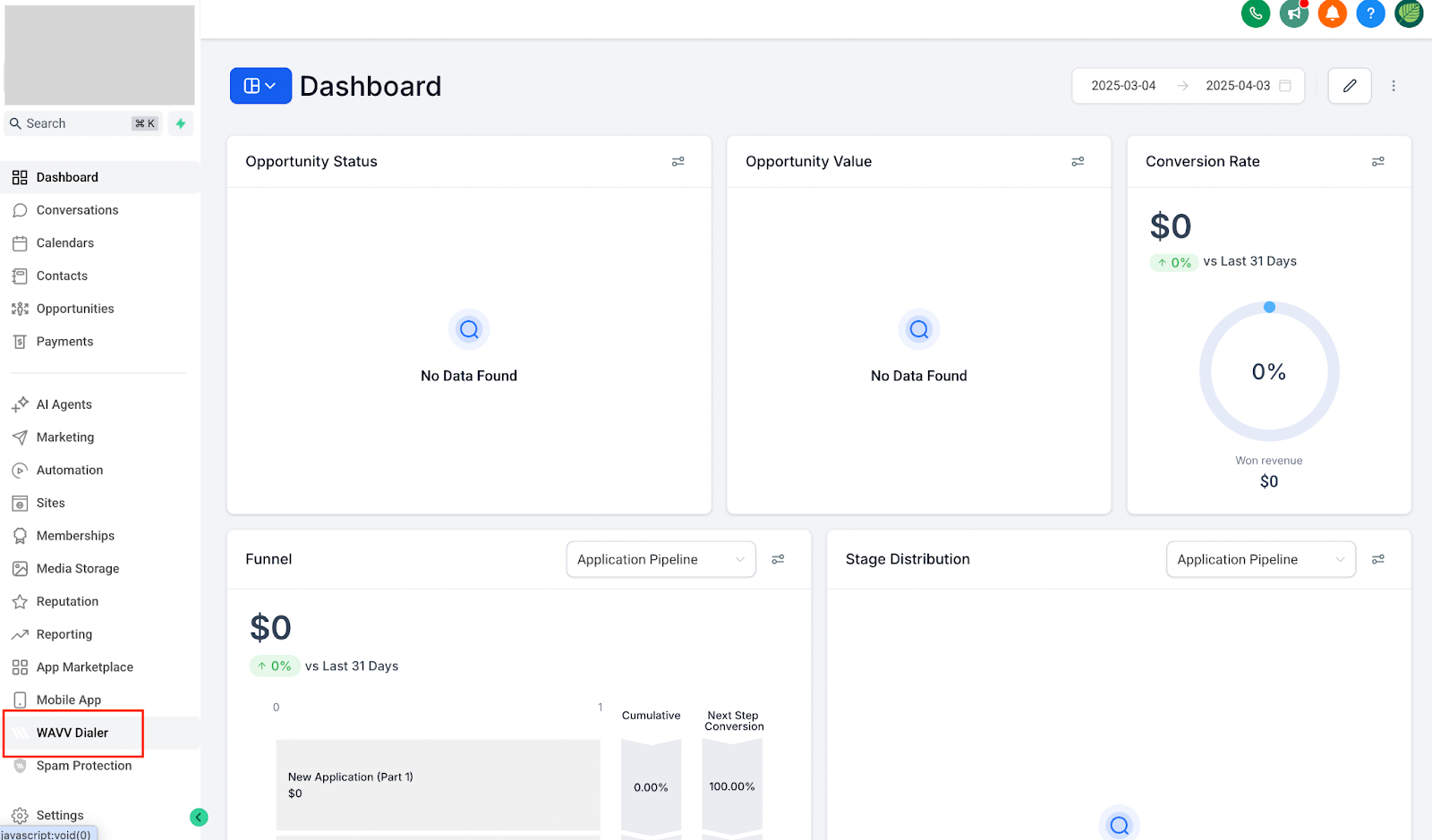
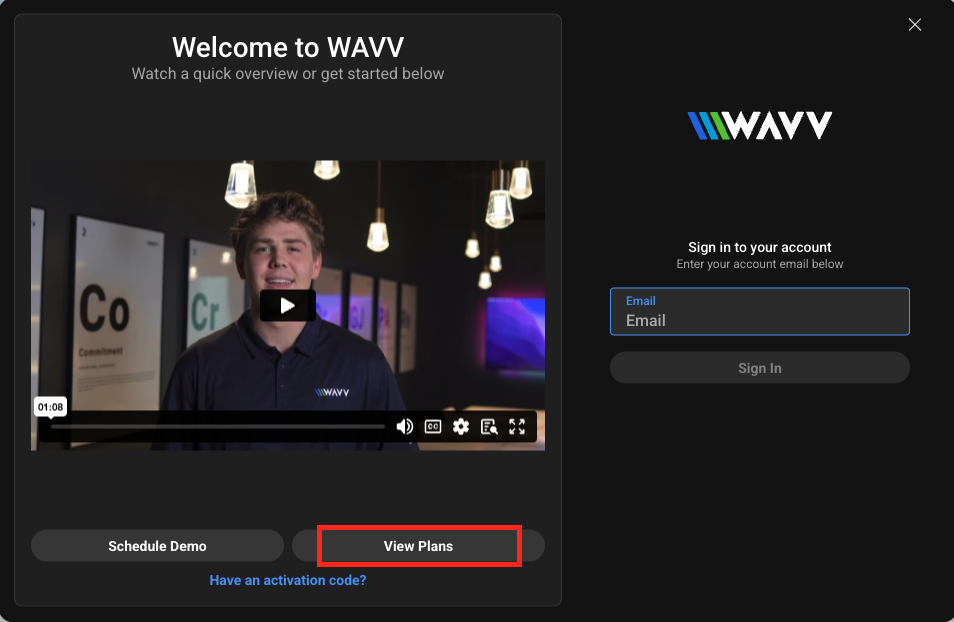
Once you click the button, the WAVV app will open in your CRM. Go ahead and click “View Plans.”
Side note: if you have already received an activation code, click here.
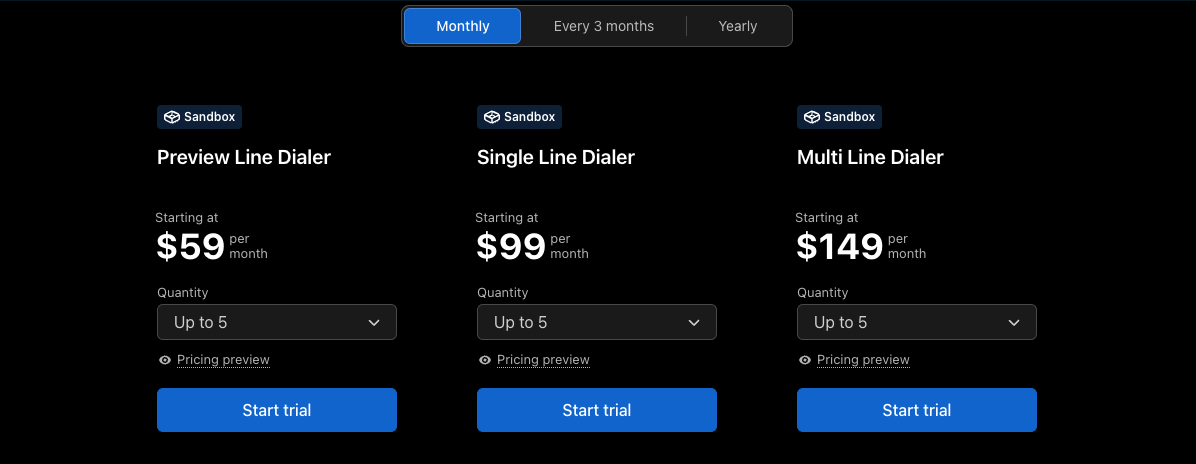
Choose which WAVV plan fits your team the best. There is a free trial on all of WAVV’s plans. To understand which plan fits your team best, you can check out our plans and pricing guide here!
Increase the quantity to reflect the number of team members you'll have making calls.
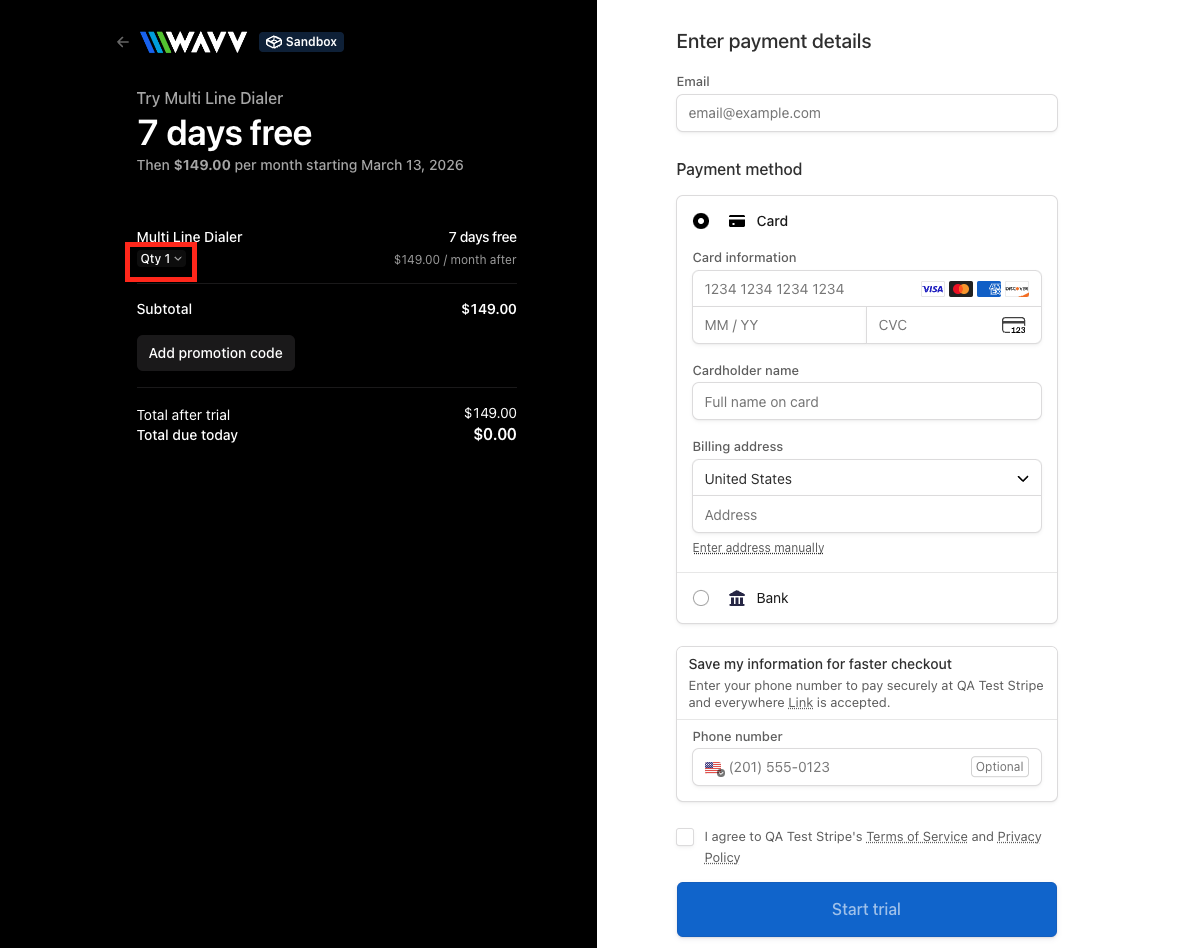
Follow the purchase steps. When starting a free trial, you will not be charged until after the 7 days are up. Emails will go out to you letting you know a couple days before your free trial is over.
Awesome! You’ve started your free trial!
Next Step: