
Are you experiencing audio issues using WAVV? Here's what you can do:
Change your audio connection method
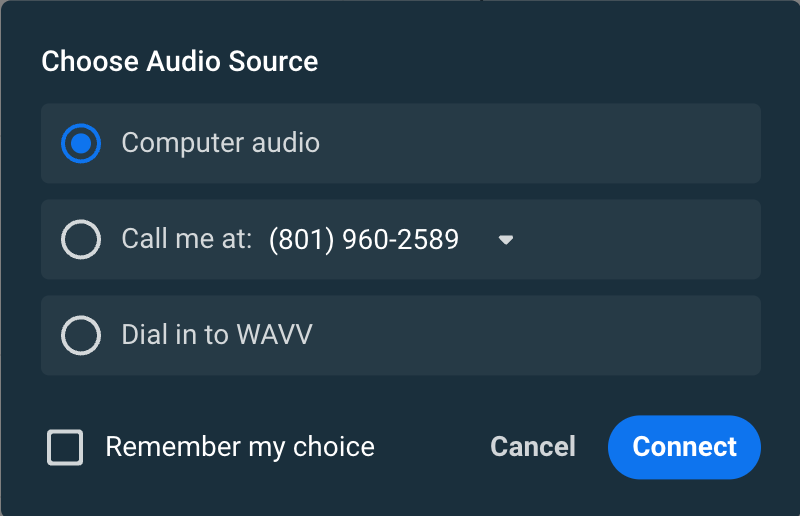
By updating your connection method you are connecting to the service using a different method and it can potentially troubleshoot the issues you're facing if they are limited to a specific connection method.
If you're using computer audio and don't want to switch or are otherwise unable to switch to a phone line, you can try looking into ways to improve your connection by evaluating your network or other potentially limiting factors.
Network
WAVV computer audio can have trouble adjusting to available bandwidth, and may experience choppy audio, static or even dropped calls. You can try testing your network quality, checking your provider's network presence, and monitoring network performance. You may also experience issues with your firewall, NAT, or Router intentionally blocking specific ports or protocols. You may also have insufficient broadband speeds to support high quality call sessions. It is recommended you have at least 8mbps.
Other limitations
Performing long call sessions in browser using computer audio can begin to consume a lot of your computer's RAM. Some browsers are better at managing this than others. You can try switching to a different browser to see if your call quality improves, or disabling extensions or plugins or closing unused tabs.
Headsets/Headphones
Sometimes using bluetooth devices such as a headset or headphones can cause issues if they're not set up correctly. Check your computer audio and make sure the device is showing up there.
Ensure your browser has been given permission to use the device for sound.
You may need to make sure the headset is only connected to one device (rather than computer AND phone) in order to avoid interference.