
Templates
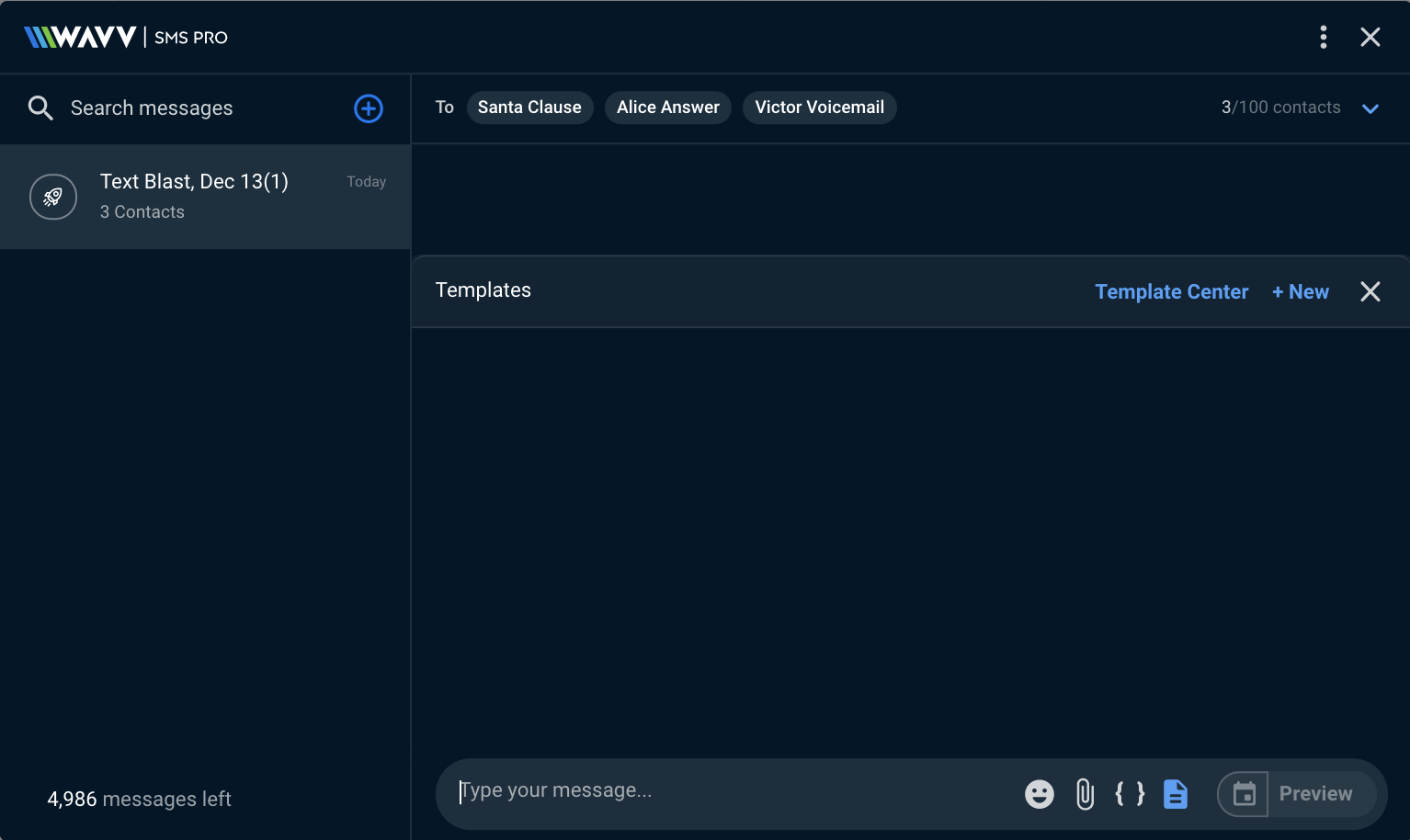
Templates can be used to quickly send prewritten messages. This is very helpful when you send a similar message to your contacts such as first meeting, appointment reminders, birthday and holiday messages. To manage your templates, click on the template button.
Creating a template
Select "+ New" to make a new template.
Select "Template Center" to manage your templates.
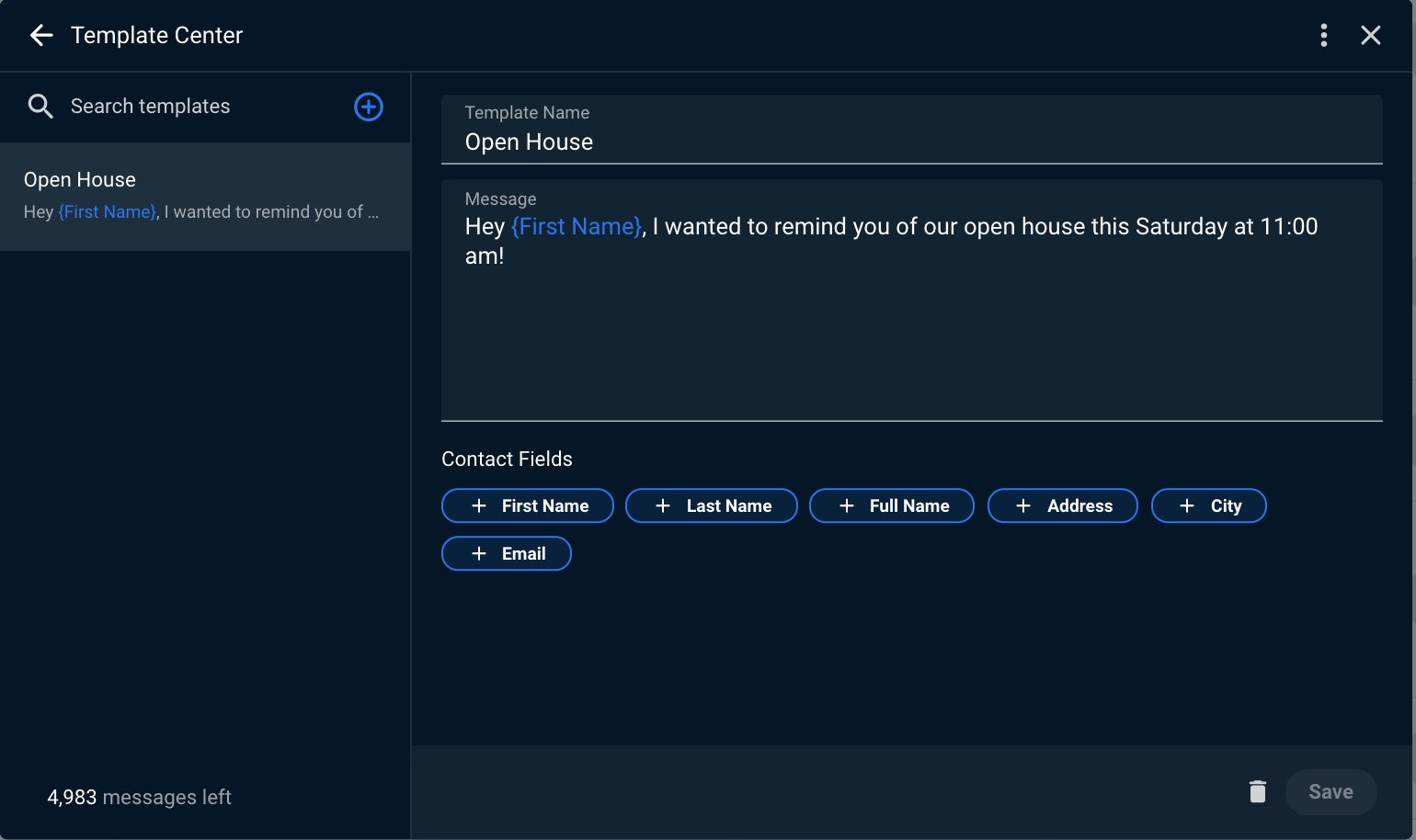
After writing a message and using Merge fields (see Merge Fields) to make a general template, press "save".
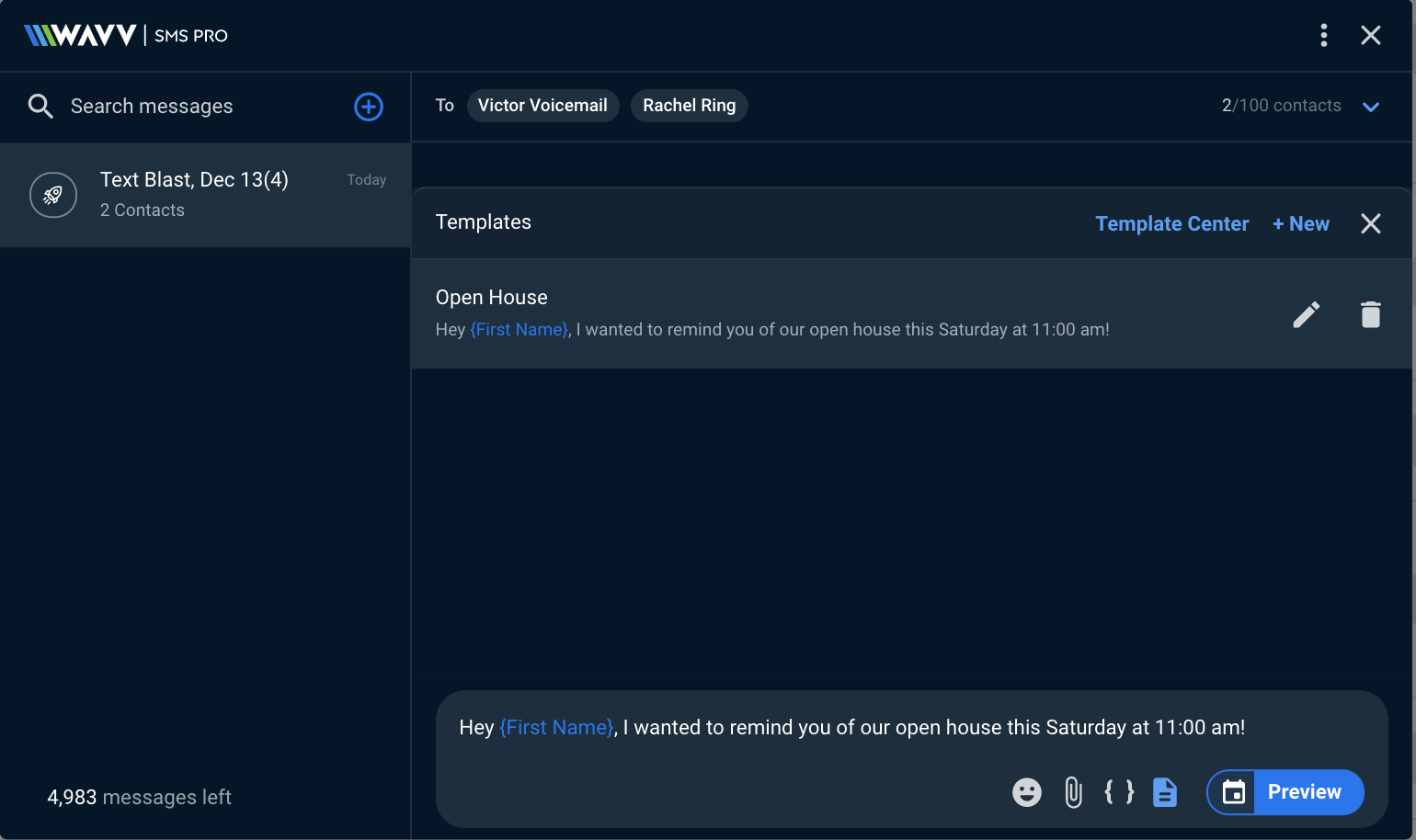
Using your Templates
The new template can now be selected and sent out to up to 100 people at a time.
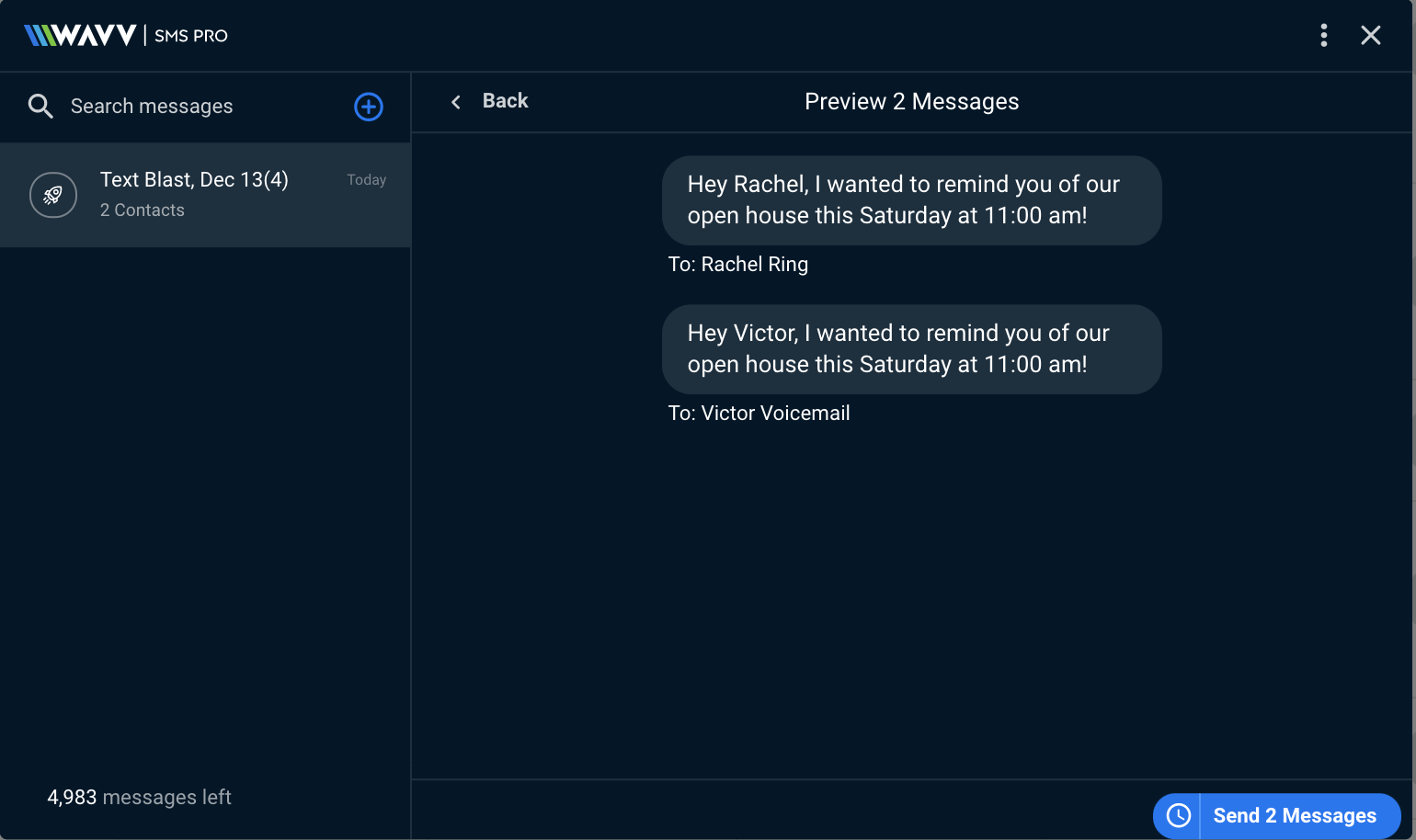
Finally, a preview is displayed of each message to ensure everything is correct.
Hit "Send Messages".
A personalized messages will be sent to each our your contact.