
You can transfer ownership of your WAVV team to someone who's already on it. The new owner takes over the subscription and billing, and your wallet balance moves with it. WAVV Support starts every transfer, so reach out to us to get started.
Before you start
- The new owner must already be a member of your team. If they aren't, invite them first from Team Management. See How to Add/Remove Team Members.
- The new owner needs a payment method (credit or debit card) to take over the subscription.
- The current owner doesn't need to be available. This works even if the current owner has left the company.
How to transfer ownership
1. Contact WAVV Support through chat at help.wavv.com. Tell us your team name and the email of the team member who should become the owner.
2. Support starts the transfer and selects the new owner on your team.
3. The next time the new owner opens WAVV Manager, they'll see a banner asking them to take over the team's billing. They click Review transfer.
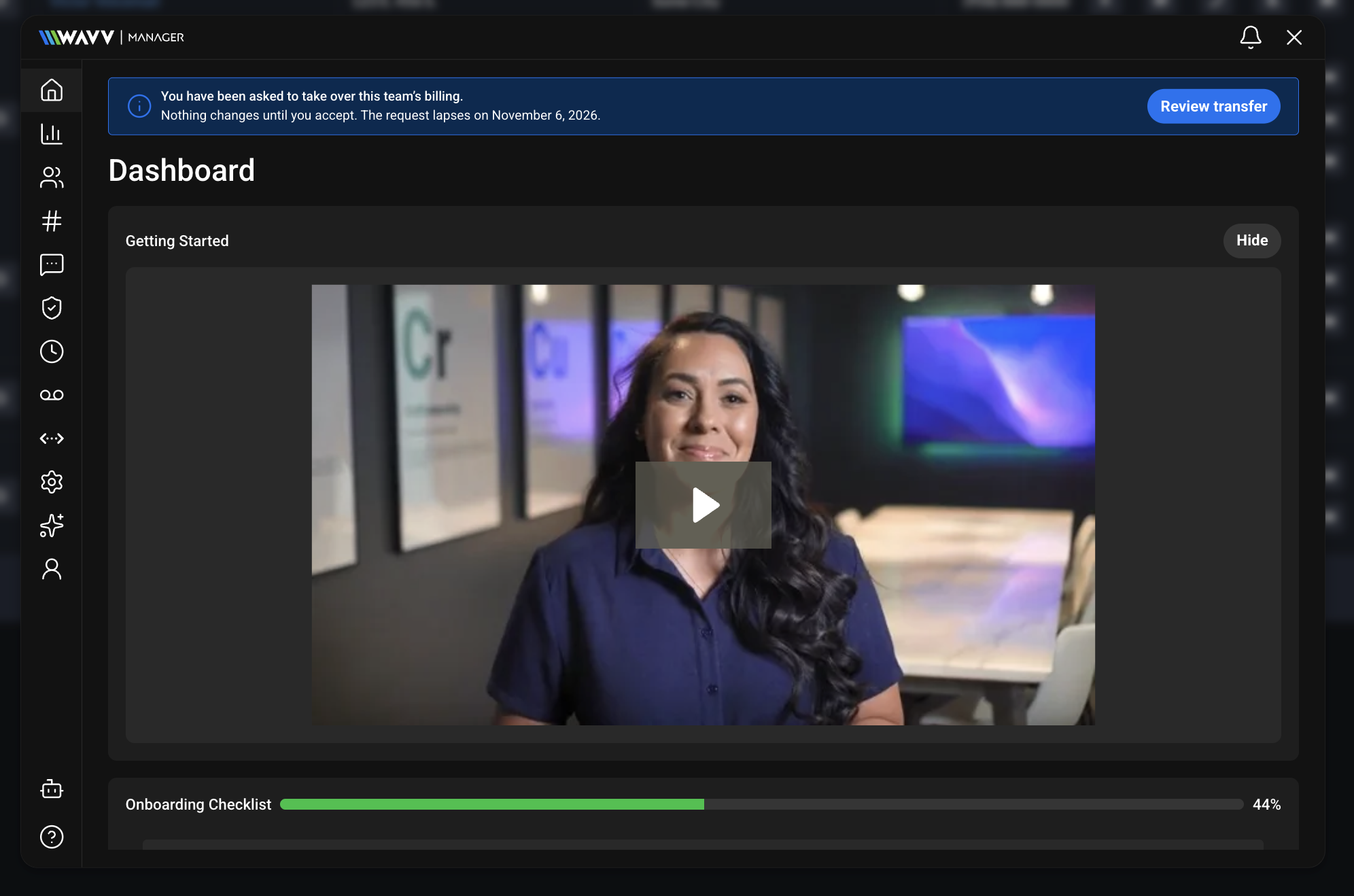
4. The new owner enters their payment info. Once it's saved, the transfer is complete.
Good to know: Nothing changes until the new owner accepts. The banner shows the date the request lapses. If it lapses first, contact support to start a new transfer.
What changes after the transfer
| Item | Before | After |
| Owner | Current owner | New owner, with full access to billing and subscription settings |
| Subscription | Billed to the current owner | Moved to the new owner and billed to their payment method. Your plan and seats stay the same. |
| Wallet balance | On the current owner's account | Moves to the new owner |
| Previous owner | Owner | Keeps their dialer seat if they had one. If not, they become a Coach. |
| Team members, numbers, call boards, settings | Unchanged | Unchanged |
How this connects: Ownership is about billing. The owner is the person who pays for and manages the subscription. If you only need someone else to manage the team or settings without taking over billing, make them a Manager or Admin instead. See Understanding Team Roles.
Still stuck?
Reach out to WAVV Support through chat at help.wavv.com.
Related links: How to Add/Remove Team Members · Understanding Team Roles
Next step: Understanding Team Roles
Frequently asked questions
Can I transfer ownership myself?
Not yet. Contact WAVV Support and we'll start the transfer for you.
The new owner isn't on our team yet. What do I do?
Invite them to your team first. Once they've joined, contact support to start the transfer.
Our previous owner left the company. Can we still transfer?
Yes. The current owner doesn't need to take any action. Support starts the transfer and the new owner accepts it.
Will I lose my wallet balance?
No. Your wallet balance moves to the new owner along with the subscription.
I received an email saying our subscription was canceled. Is our account canceled?
No. To move the subscription, WAVV copies it to the new owner and closes the original one. The original shows as canceled, but your service continues on the new owner's subscription.
I'm the new owner and I don't see the banner.
Close WAVV fully and open WAVV Manager again. If you still don't see it, or the request has lapsed, contact support.
Can I move my WAVV account to a different CRM instead?
That's a different process. See How can I move my WAVV account to a different CRM?