
If a contact isn’t appearing in your Call Board, it’s usually due to tag setup or filters.
Call Boards only show contacts that match specific conditions.
Common reasons a contact is missing
1. The contact doesn’t have the correct tag
Call Boards use tags to bring contacts into a stage.
Make sure:
The contact has the expected tag
The tag matches exactly (no typos or variations)
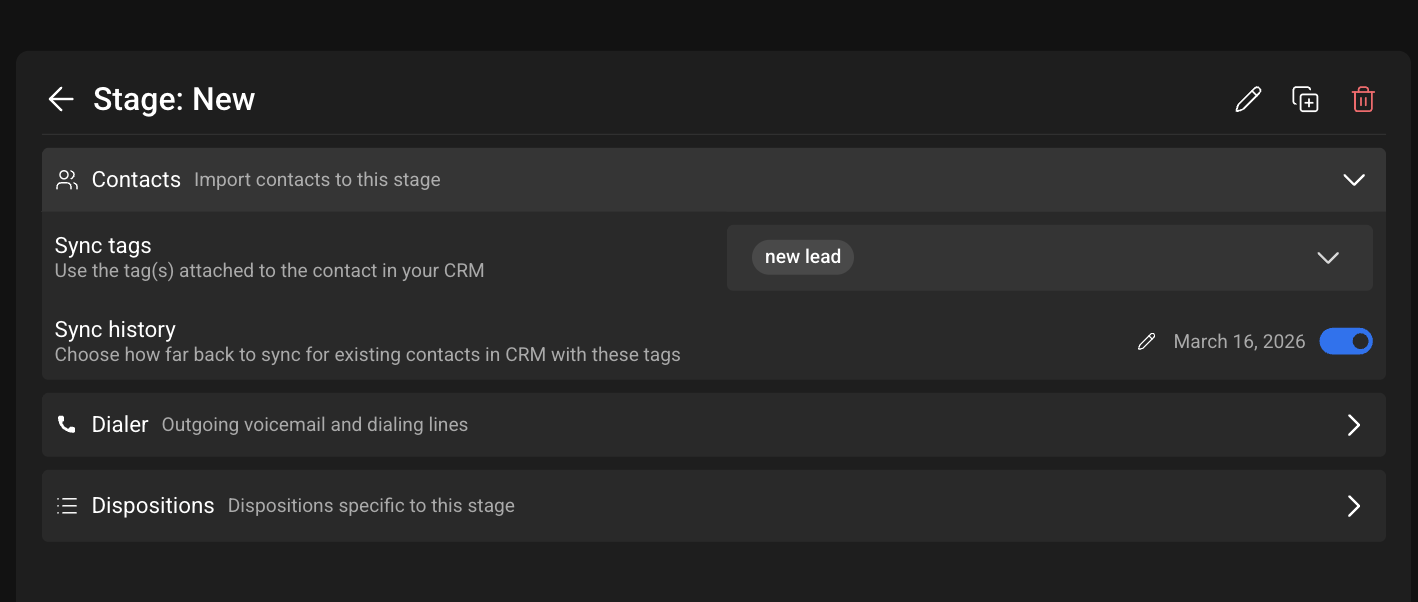
2. The stage isn’t configured with the tag
Even if the contact has the tag, it won’t appear unless the stage is set up to use it.
Check:
The stage import settings
The correct tag is mapped to that stage
3. Filters are hiding the contact
Your board view may be filtered.
Check:
Assignment filters (e.g., “My Contacts”)
Status filters (e.g., Hot, Snoozed, etc.)
4. You have international numbers in your list
WAVV does not call international numbers at this time, so those leads will not sync in your Call Board.
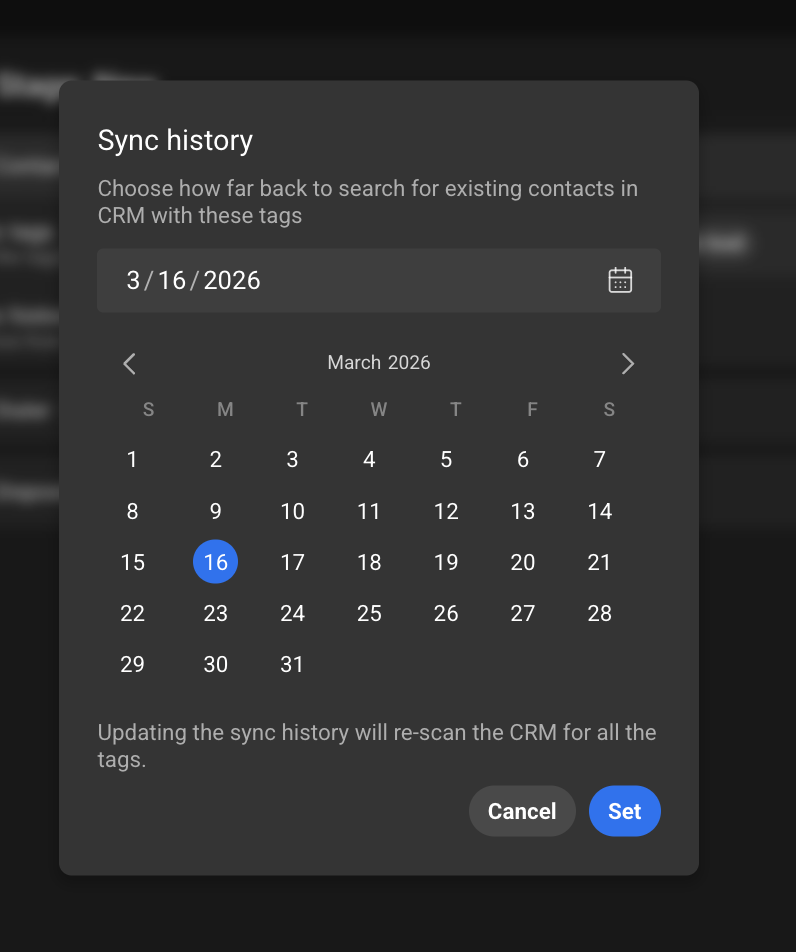
5. The backfill date is incorrect.
Remember that while syncing tags is based on the contacts that have a tag, the backfill date is based on the date the contact was created in the CRM, not when the tag was added. Change the backfill date here:
Tip
If you’re unsure, create a new clean tag (e.g., CB - Test) and map it to a stage. This is the fastest way to isolate the issue if the issue is tag based. Please also see this help article.