
What is Settings Lock?
Settings Lock gives managers, admins, and billing owners the ability to control and lock specific dialer settings for their team.
This helps keep team configurations consistent and prevents individual users from accidentally changing important settings that impact performance or workflows.
On growing teams, dialer settings can affect things like call performance, workflows, and reporting. When every user has full control over their own settings, small changes can create inconsistency across the team.
Settings Lock allows managers to standardize the dialer experience so everyone operates with the same configuration.
How does it work?
Managers, admins, and billing owners can lock key dialer settings so they cannot be modified by individual users (Agents).
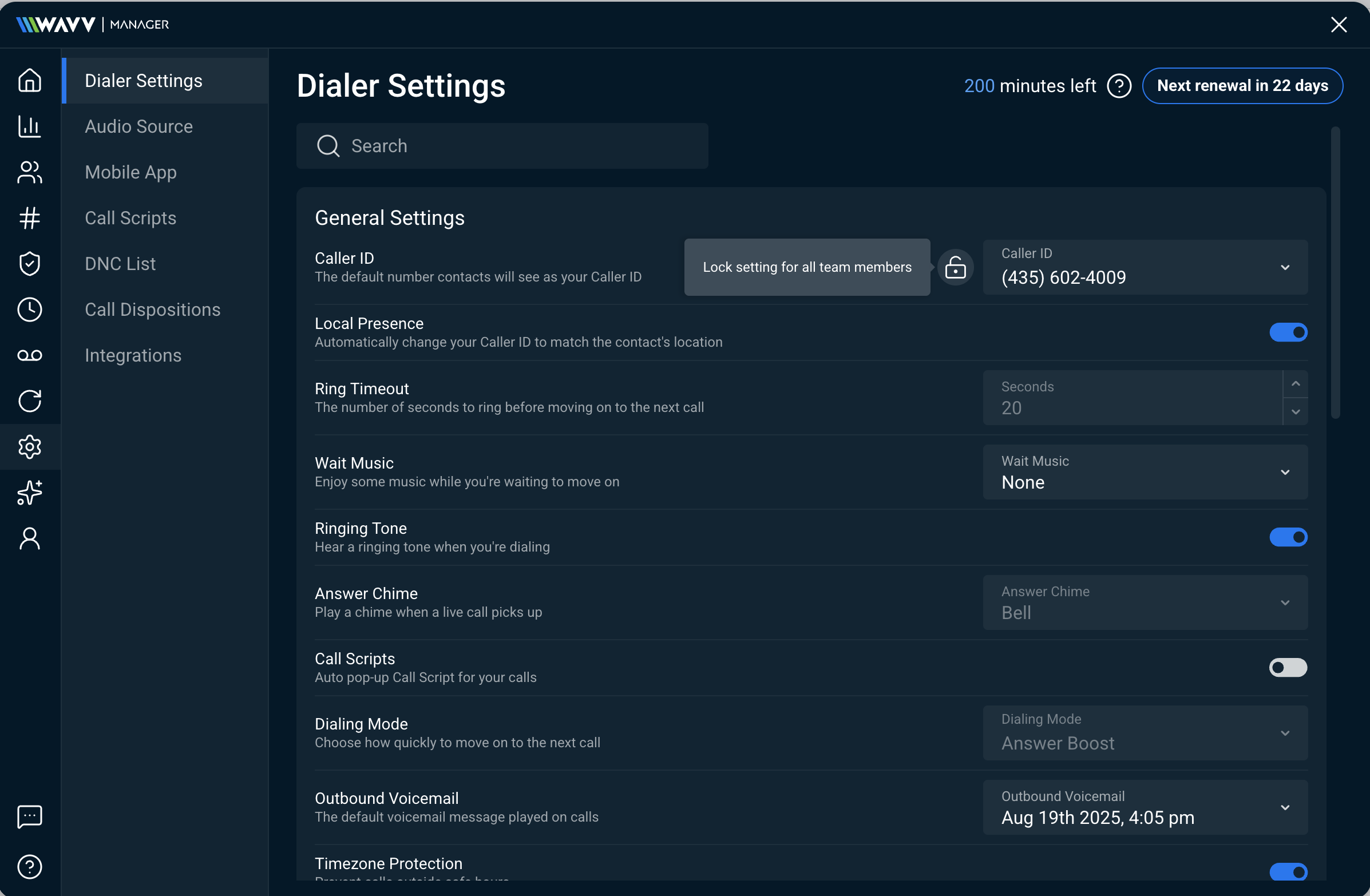
Once a setting is locked, users can still view the setting but they cannot modify it. The team operates using the manager-approved configuration.
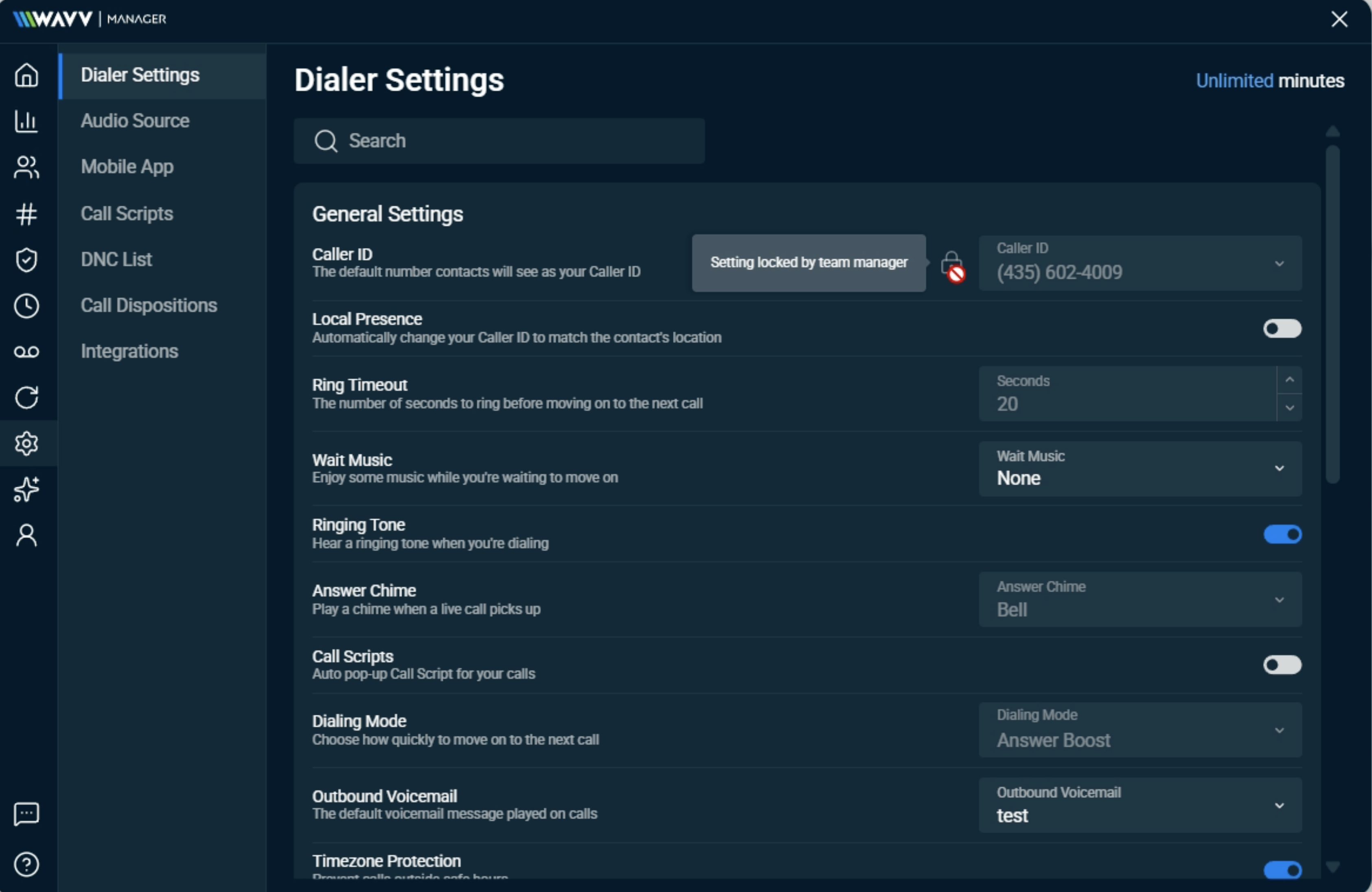
This ensures team-wide settings remain aligned while still allowing managers to adjust configurations when needed.