
WAVV Wallet
What is WAVV Wallet?
Your WAVV subscription covers the platform, and your Wallet handles add-ons and usage, auto-refilling so your service never stops.
WAVV Wallet is a simple, prepaid balance that covers everything outside the core WAVV subscription.
WAVV users have:
One main dialer subscription
One wallet that pays for add-ons and usage
Instead of multiple bills, seats, or surprise charges, everything runs through the wallet in a clean, predictable way.
What does the Wallet pay for?
The wallet covers added on resources, such as:
Phone numbers
Messaging/usage-based products
Future add-ons
How does it work?
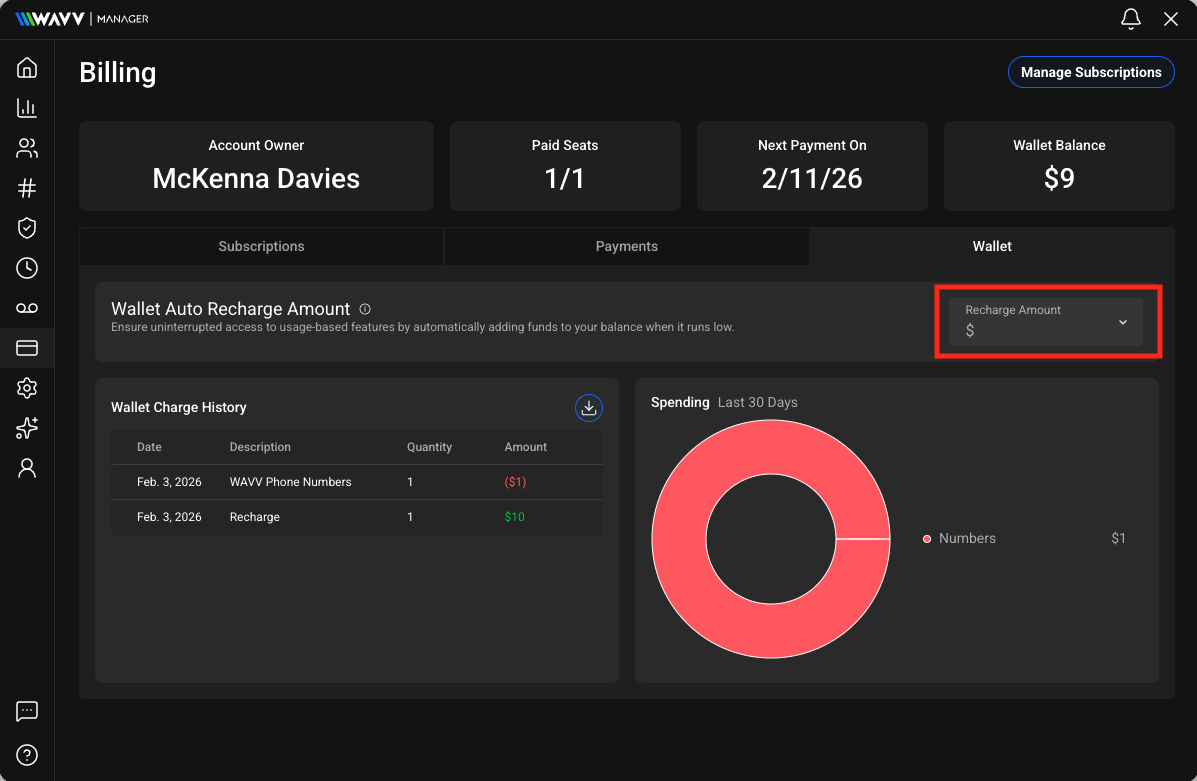
You set a recharge amount during setup:
Money is added to your wallet:
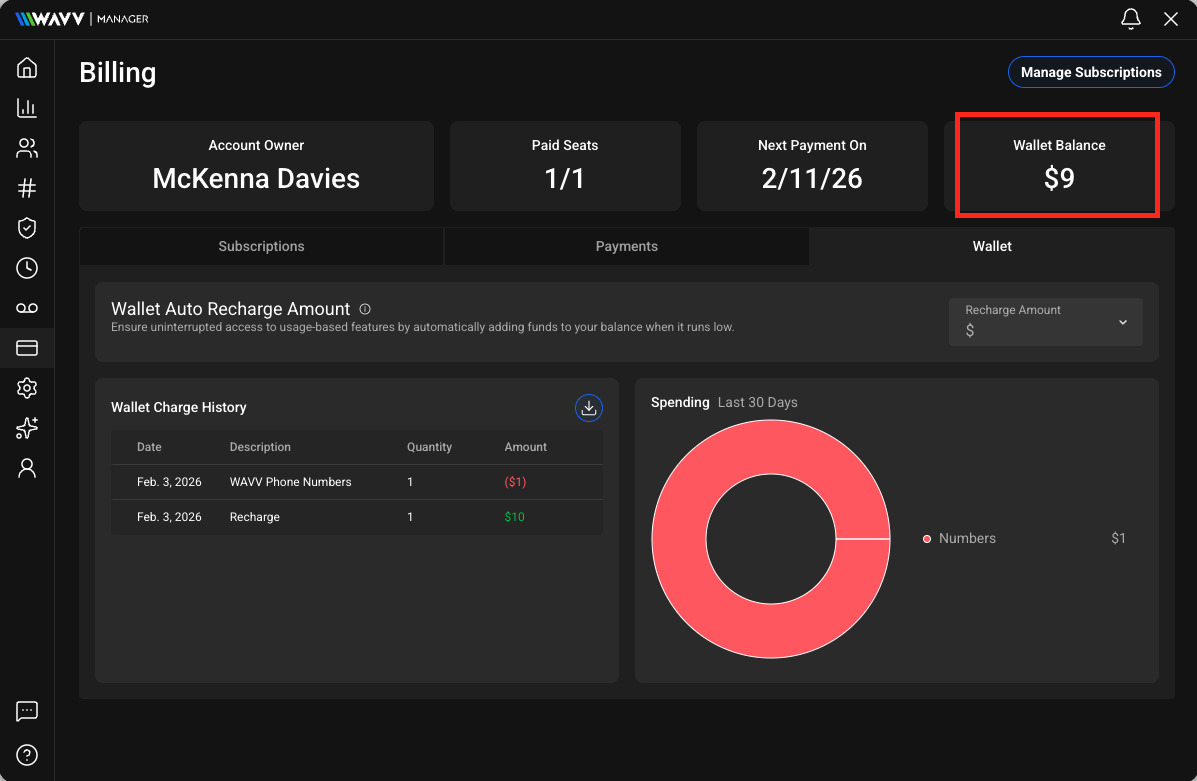
WAVV automatically uses that balance for phone numbers:
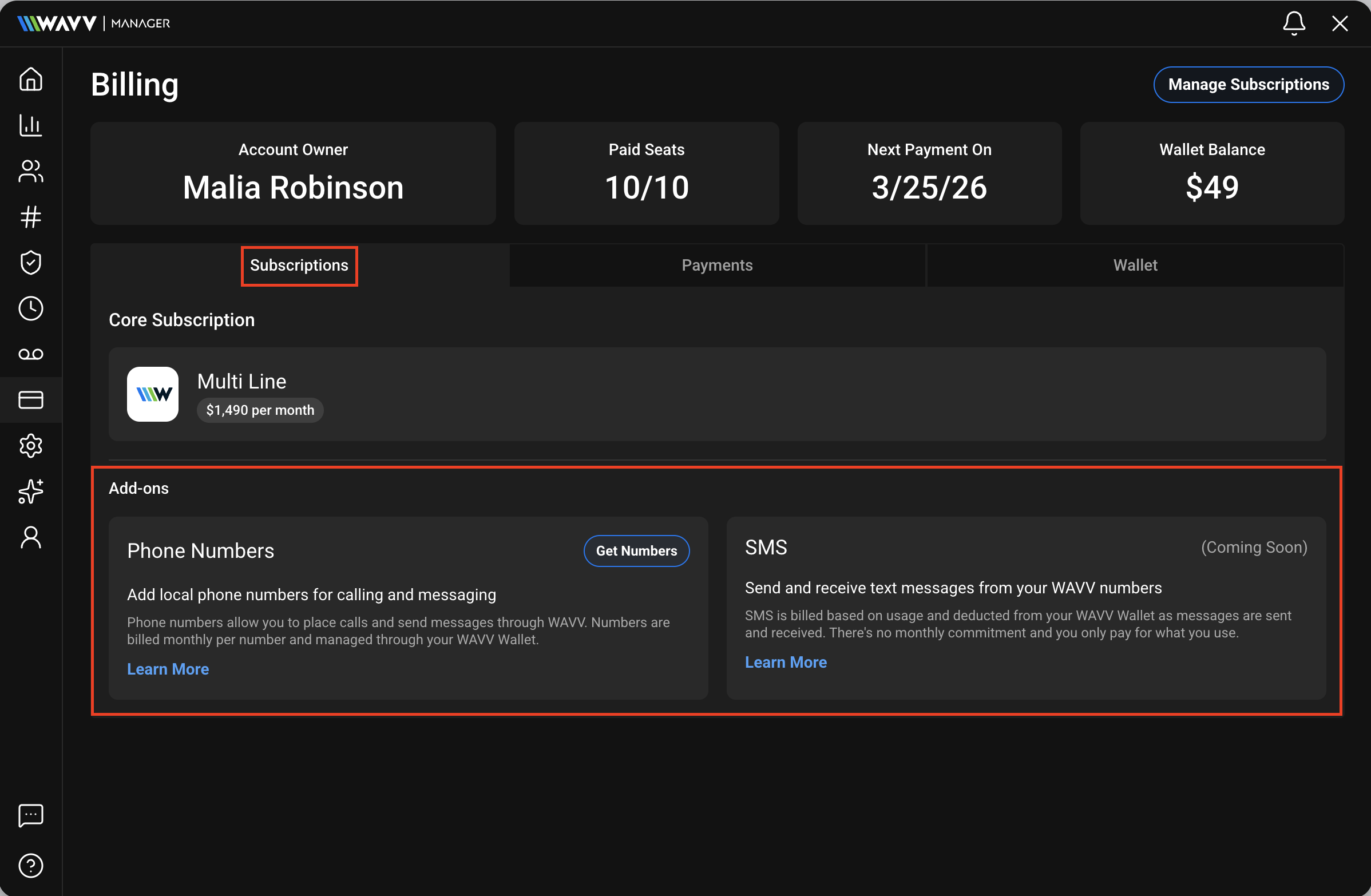
Wallet automatically refills when payment is due for any add ons and your wallet balance runs out.
Auto-Recharge
When you set up your Wallet, you choose your auto-recharge amount. This keeps numbers, and messaging running without disruption. The system adjusts the recharge amount if usage grows, so you’re not hit with constant small charges. Don’t worry, you will be notified whenever changes happen. Auto-recharge is there so nothing unexpectedly shuts off.
What happens if payment fails?
If payment fails for whatever reason, your account temporarily pauses. Calls and texts still come in so nothing is lost, but access will be paused until payment goes through. Once the billing owner of your account fixes the payment method, service with WAVV automatically resumes.
Tips to Prevent Future Freezes
Monitor Billing Information: Regularly check and update your payment details to avoid failed transactions.
Act Promptly: Address any account issues as soon as they arise to prevent prolonged freezes, which could lead to account cancellation.
How to Reactivate Your Account
If your WAVV account has been frozen/paused due to a failed payment, follow these steps to restore service:
Update your payment method. The billing owner should update or replace the payment method in the Billing section of the WAVV portal if the previous payment failed.
Complete any outstanding payment. Once a valid payment method is on file, any outstanding balance will be processed.
Verify your WAVV app is installed. Ensure the WAVV app is still installed in your CRM. If it was previously removed for troubleshooting, reinstall it before continuing.
Open the WAVV Dialer. Launch the WAVV Dialer from your CRM to confirm it reconnects successfully.
Confirm your account is active. Once payment has been processed, your account should automatically resume service. If you still can't access WAVV after a few minutes, contact Support for assistance.
If payment fails for any reason, your account is temporarily paused. Calls and text messages will continue to be received, so no communication is lost, but access to WAVV will remain paused until the billing owner updates the payment method and the outstanding payment is successfully processed. Once payment is successful, service automatically resumes.
What if I had free phone numbers before the move to Wallet?
If you currently have a promo code applied to your WAVV account, your current numbers will stay free and be “grandfathered” into your account with Wallet.
If you remove one of your free numbers, the free slot cannot transfer to another number. Therefore, the free number has been forfeited.
Quick FAQ
Q: Is Wallet optional?
NO, auto-recharge is required to keep service running smoothly.
Q: Does Wallet replace the subscription?
No, dialer subscription stays. Wallet covers add-ons + usage.
Q: What happens if Wallet hits $0?
Your Wallet can stay at $0, but will automatically recharge when payment is due for your add ons.