
What's happening?
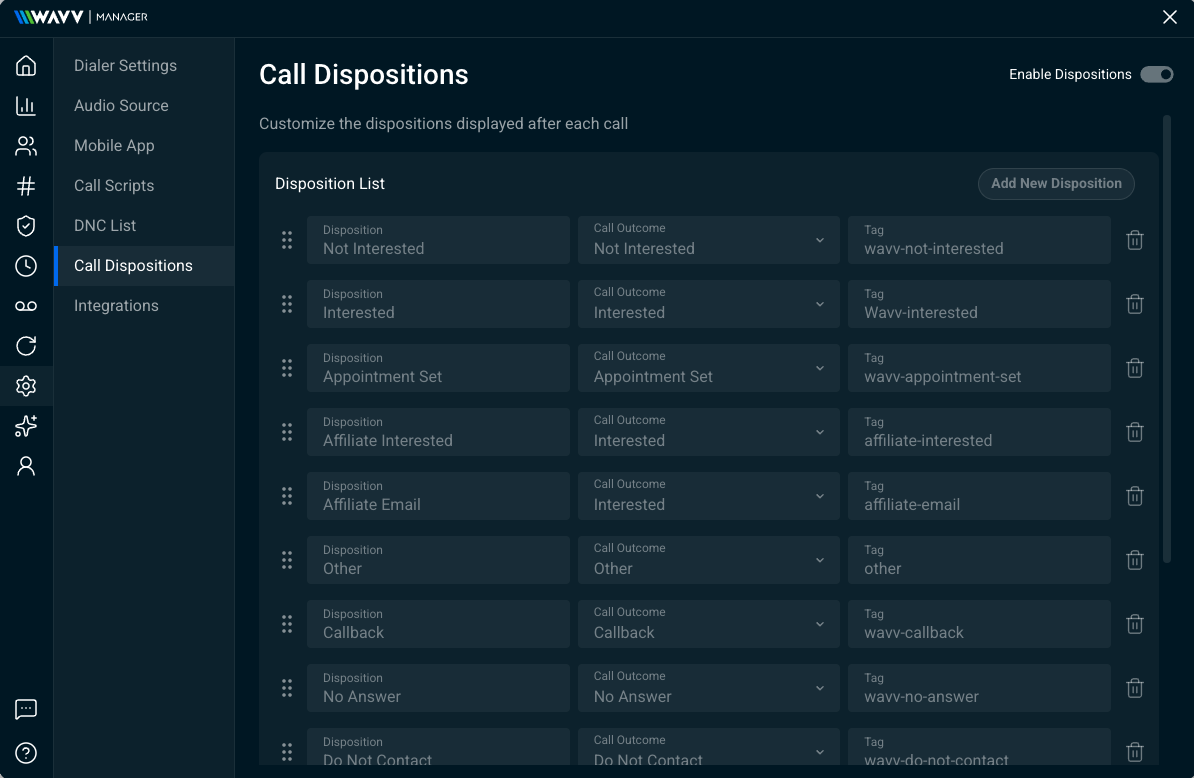
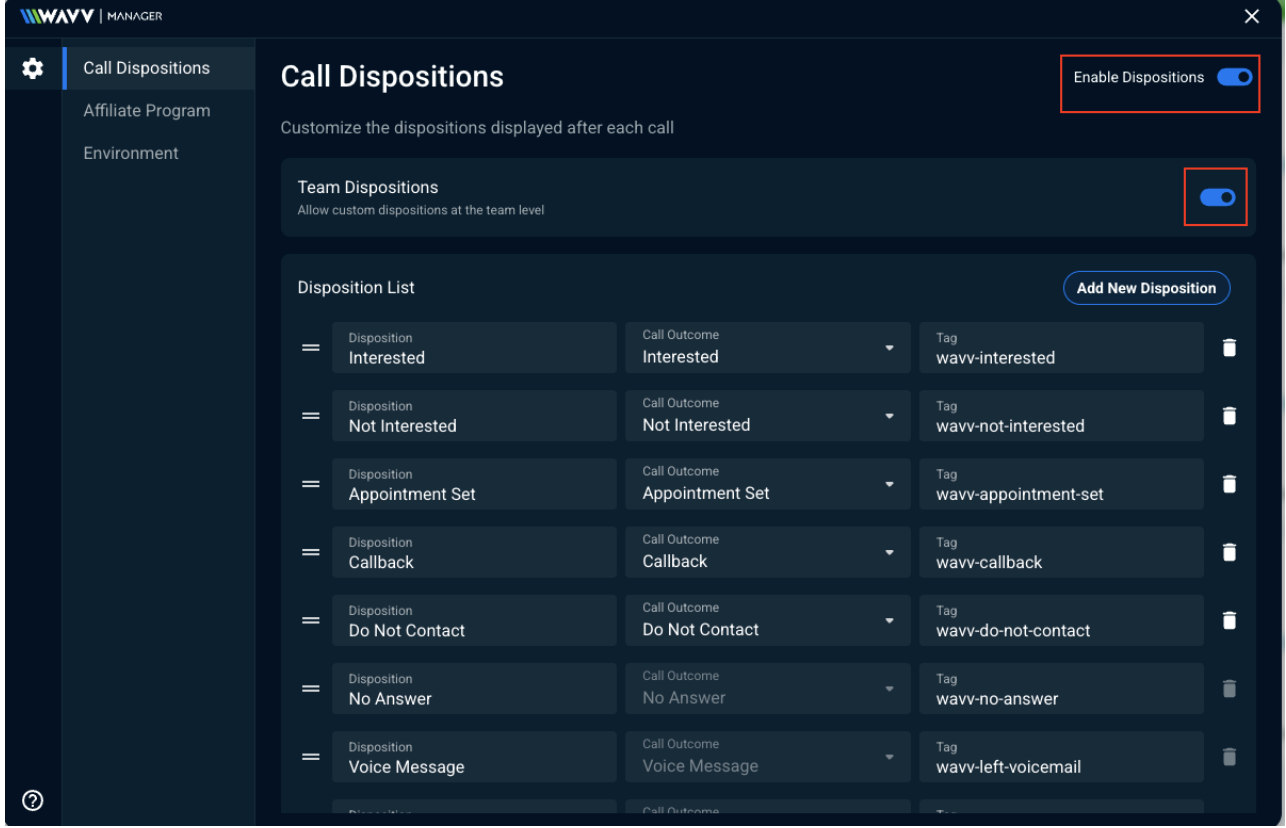
When you open your Call Dispositions in your WAVV Dialer Manager, if they are greyed out, this means your Agency Owner hasn't enabled Team-level dispositions and they can only be edited by the Agency Owner.
What can you do?
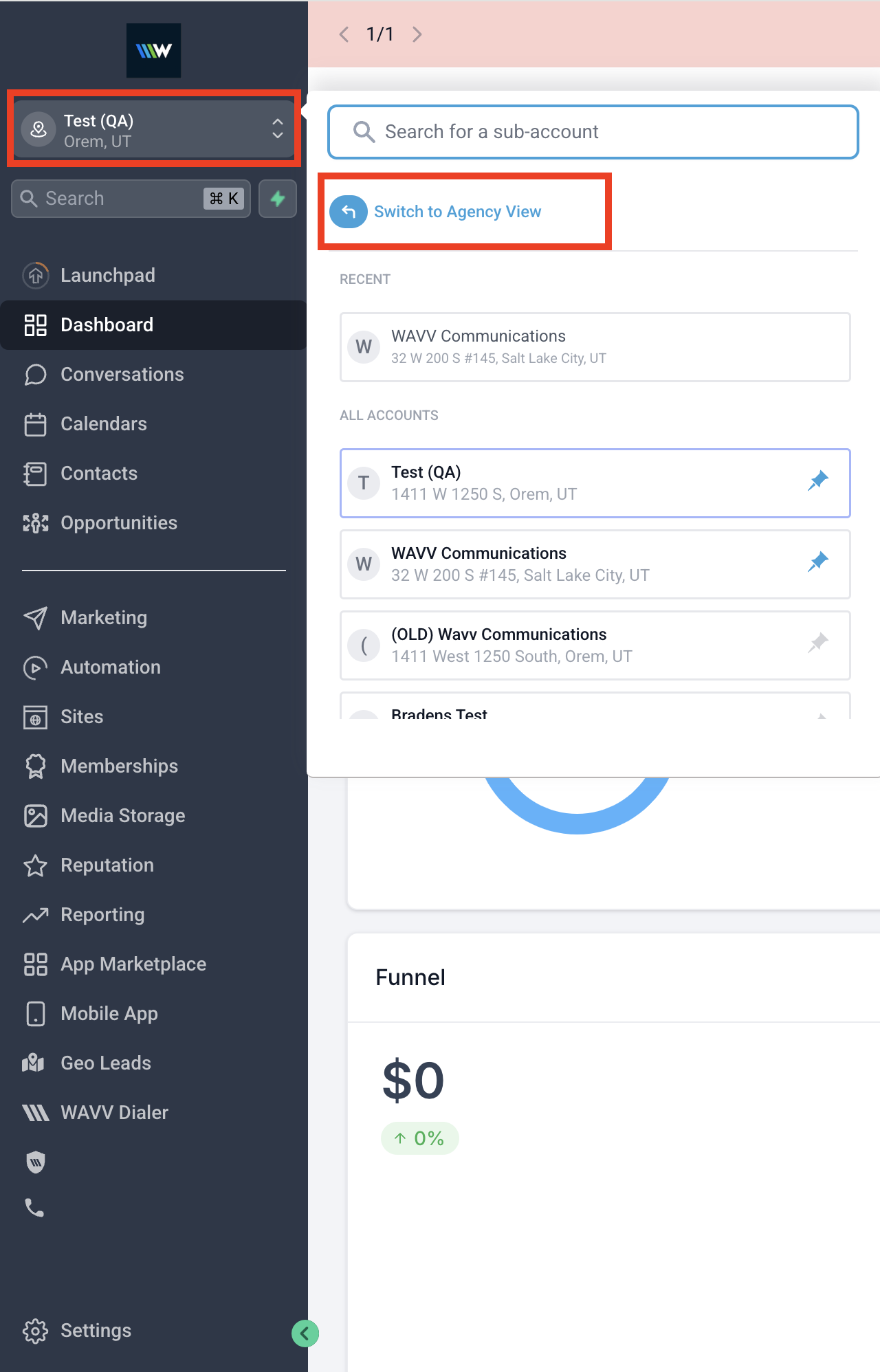
Option 1: If you have access to Agency View in your CRM, then you can enable team-level dispositions or edit them from Agency View. Here's what to do:
Go into Agency View in your CRM
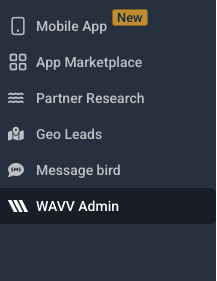
Open WAVV Admin
Open Call Dispositions
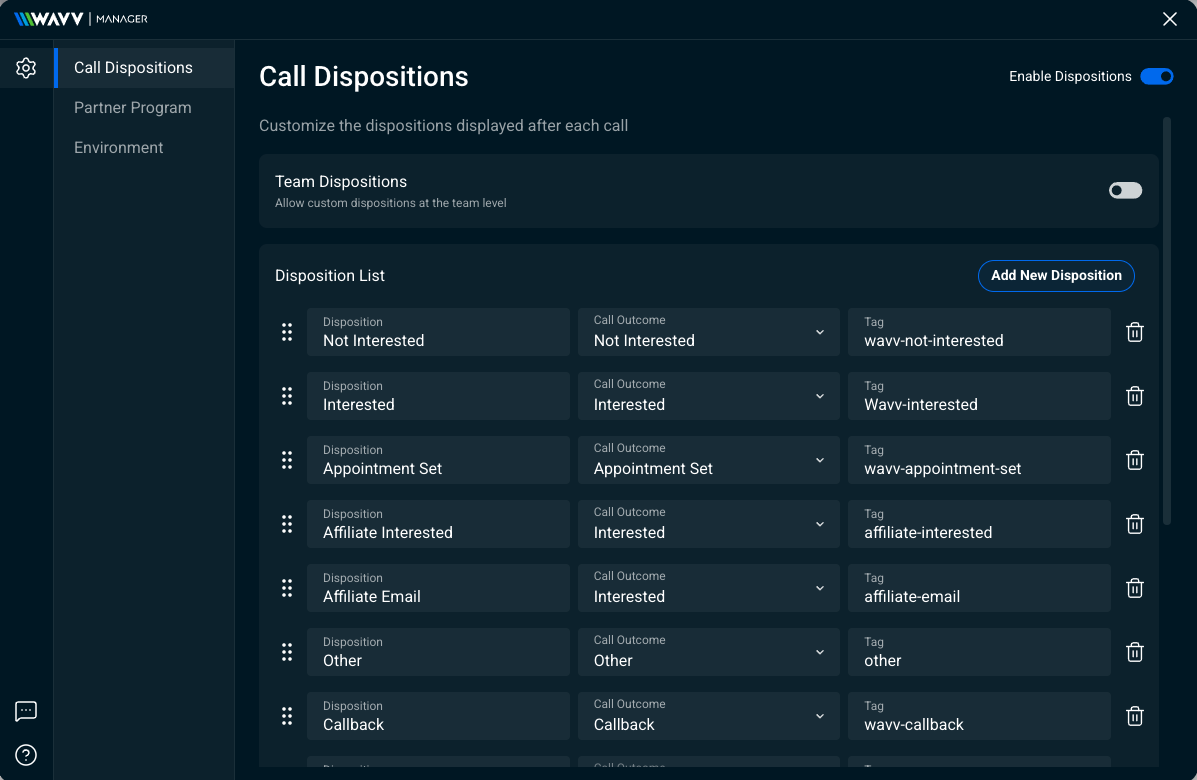
You can either edit the dispositions here OR enable Team Dispositions so that they're editable within your sub-account.
Option 2: If you don't have access to Agency View, then you'll need to reach out to your Agency Owner to either edit the dispositions for you or enable Team Dispositions on their end.