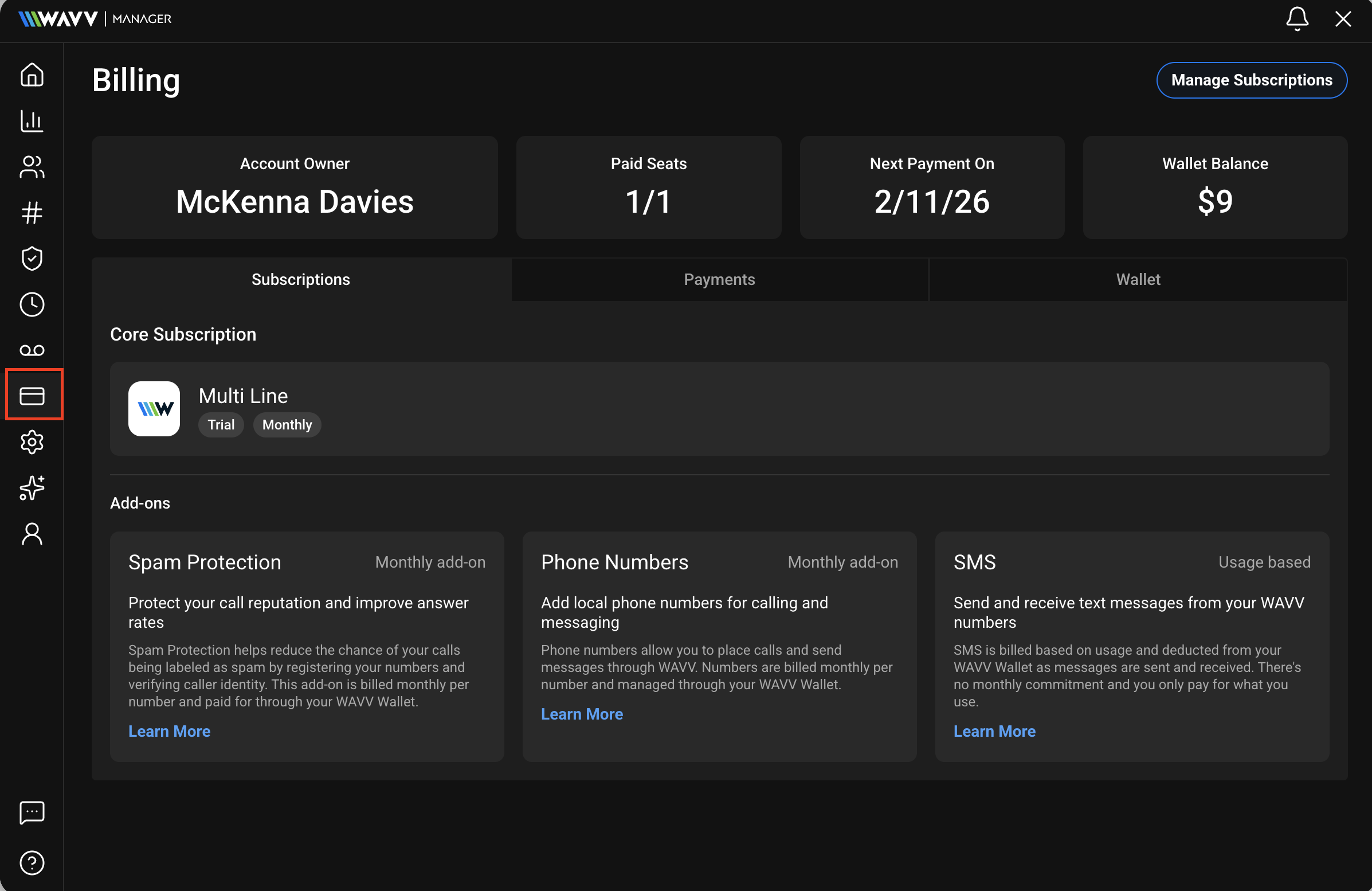
As an Account Owner, you’ll be able to make changes to your subscriptions and manage the wallet. This could be upgrading or downgrading your plan, adding on services, or changing payment information.
Manage Subscription
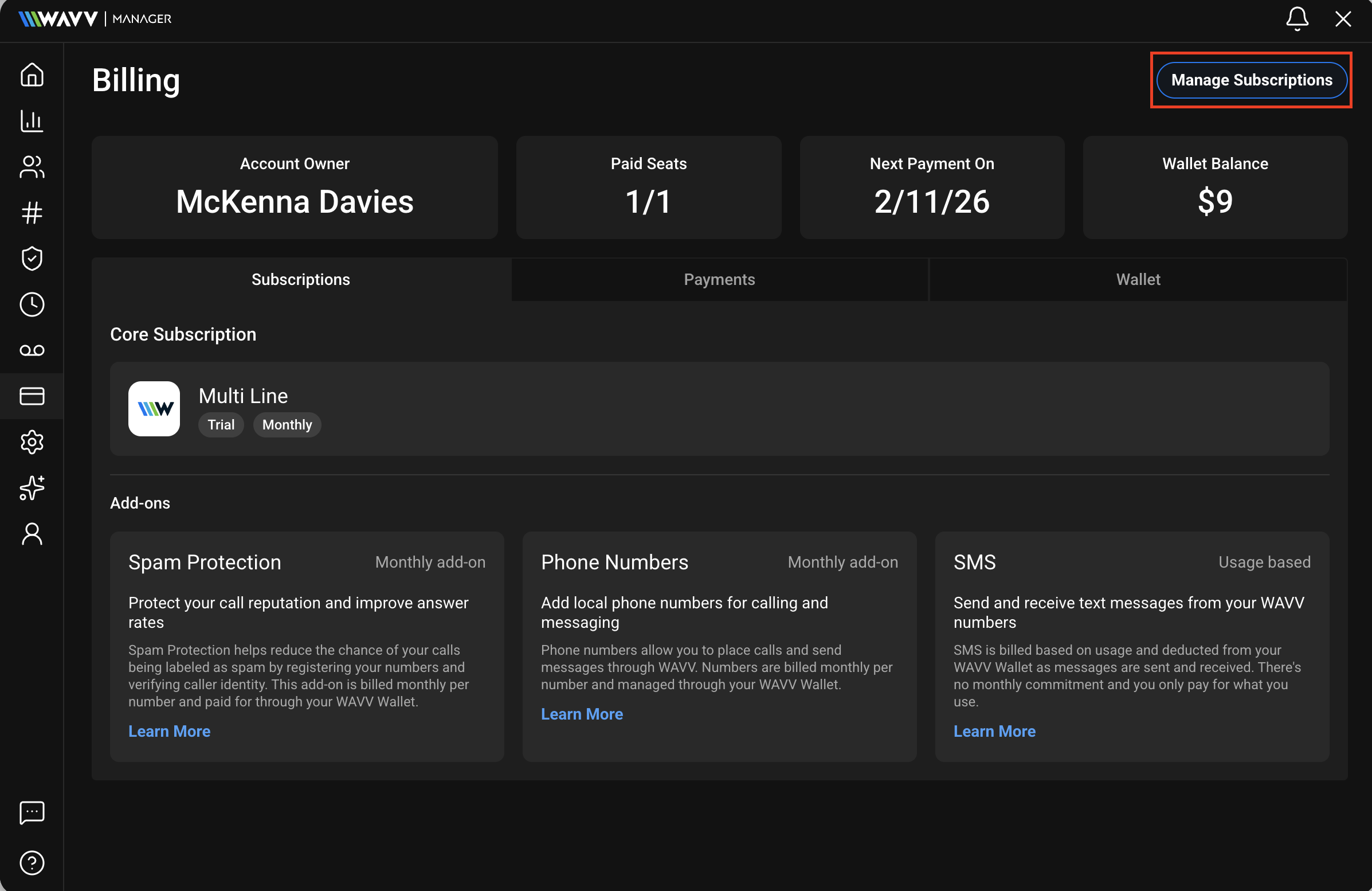
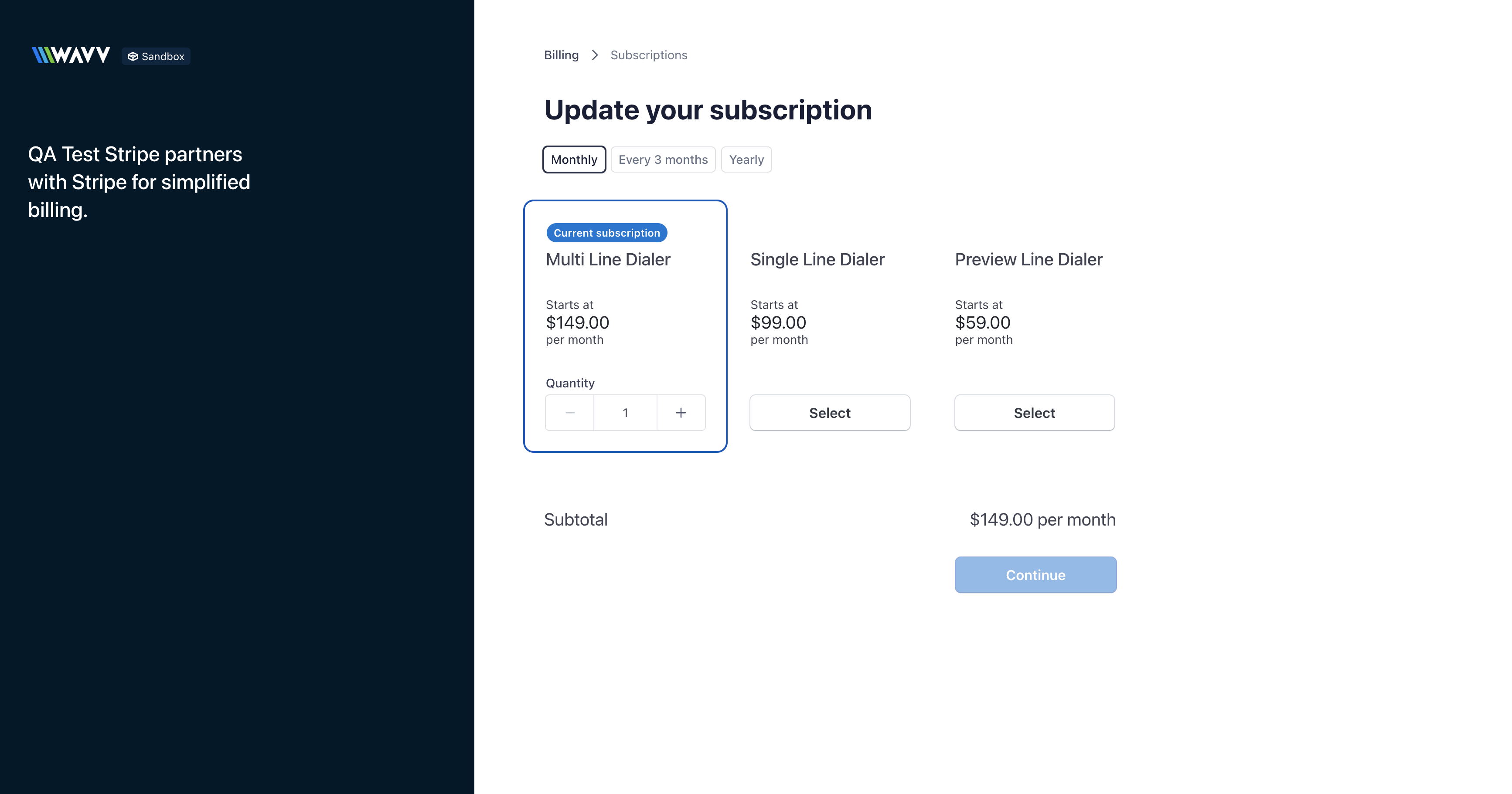
If you want to make changes to your subscription, such as adjusting the number of paid dialer seats or upgrading or downgrading your plan, click Manage Subscriptions in the top-right corner of your WAVV account. Subscription changes are designed to be self-managed through your account settings. If you need assistance, our support team is happy to walk you through the process, but you'll need to complete the changes from your account.
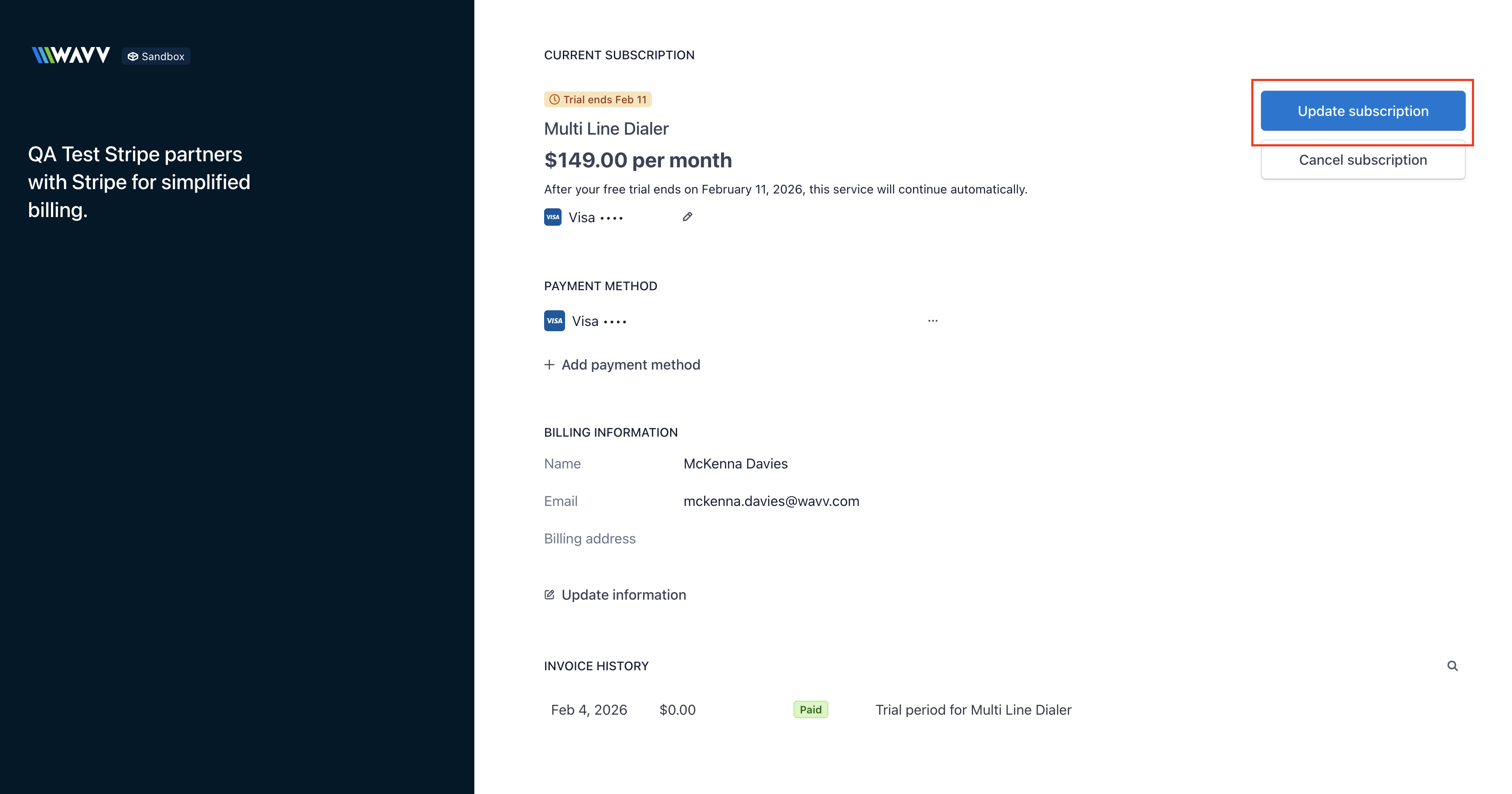
You will be redirected to Stripe, our billing service. From here, click "Update subscription."
Changing Your Subscription
From the Manage Subscriptions page, you'll see your current plan and the number of paid dialer seats on your account. From here, you can:
Increase or decrease the number of paid seats.
Upgrade or downgrade your Dialer subscription.
Review your subscription details before confirming any changes.
Note: Subscription changes are self-managed through your WAVV account. If you have questions or need assistance, our support team is happy to walk you through the process, but you'll need to complete the changes from your account.
FAQs
Can I downgrade from a Multi-line plan to a Single Line plan?
Yes. You can downgrade from a Multi-line plan to a Single Line plan through the Manage Subscriptions page in your WAVV account.
To downgrade:
Open Manage Subscriptions > Update Subscription
Select the Single Line plan.
If needed, reduce your paid dialer seats to 1.
Review your changes and confirm your subscription update.
When does my subscription change take effect?
Plan changes take effect at the end of your current billing cycle. You'll continue using and be billed for your current plan until the billing cycle ends. Your new plan and pricing will begin with your next billing cycle.
Will I lose my data when I downgrade?
No. Downgrading your subscription does not delete your account data. However, features that are not included in your new plan will no longer be available after the downgrade takes effect.
If you are retaining a single seat for another user, assign the seat to the appropriate team member through the Team tab.
Adding Spam Protection
For more information on adding Spam Protection, check out this article.
Adding Additional Numbers
You can purchase additional phone numbers in the numbers tab. For information on adding phone numbers, check out this article.
To learn about configuring setting for your numbers, check out this article.
Editing Payment Method
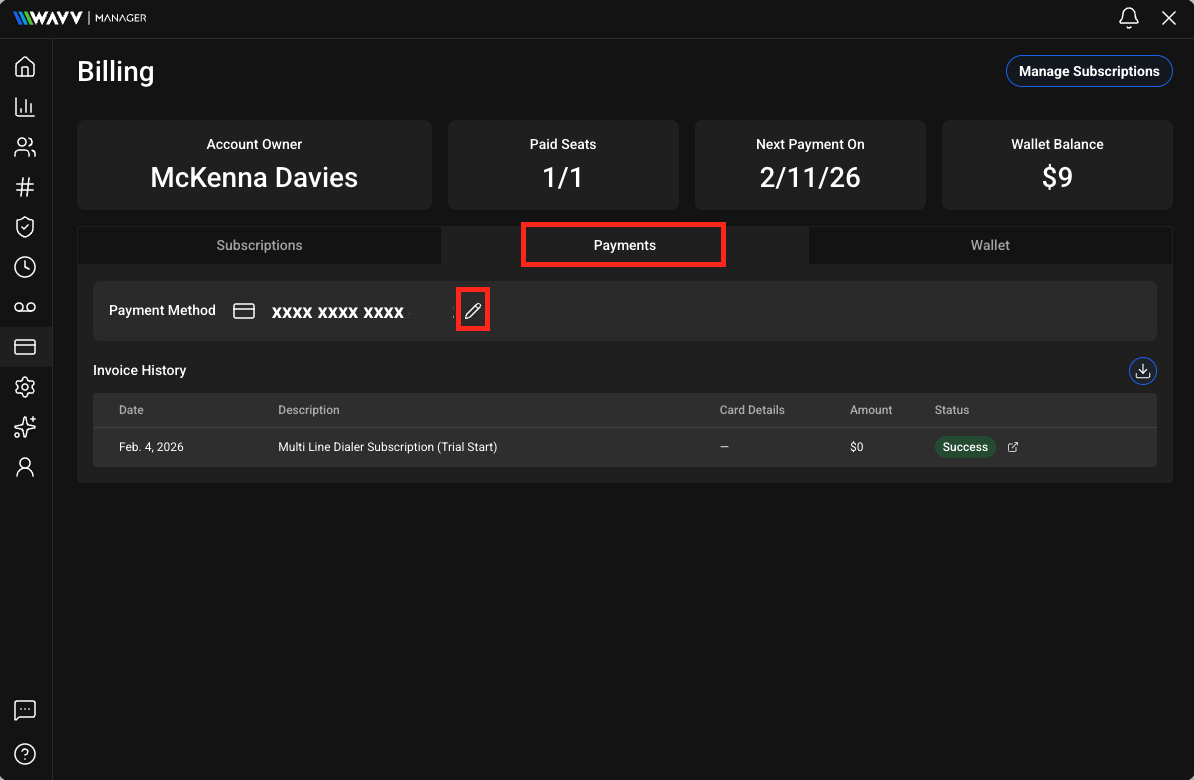
To edit your payment method, again, you must be the Account Owner. Navigate to the "Payments" section and click the pencil icon to edit your payment information in Stripe.
Canceling your Subscription
To cancel your WAVV subscription, click "Manage Subscriptions" in the top right corner.
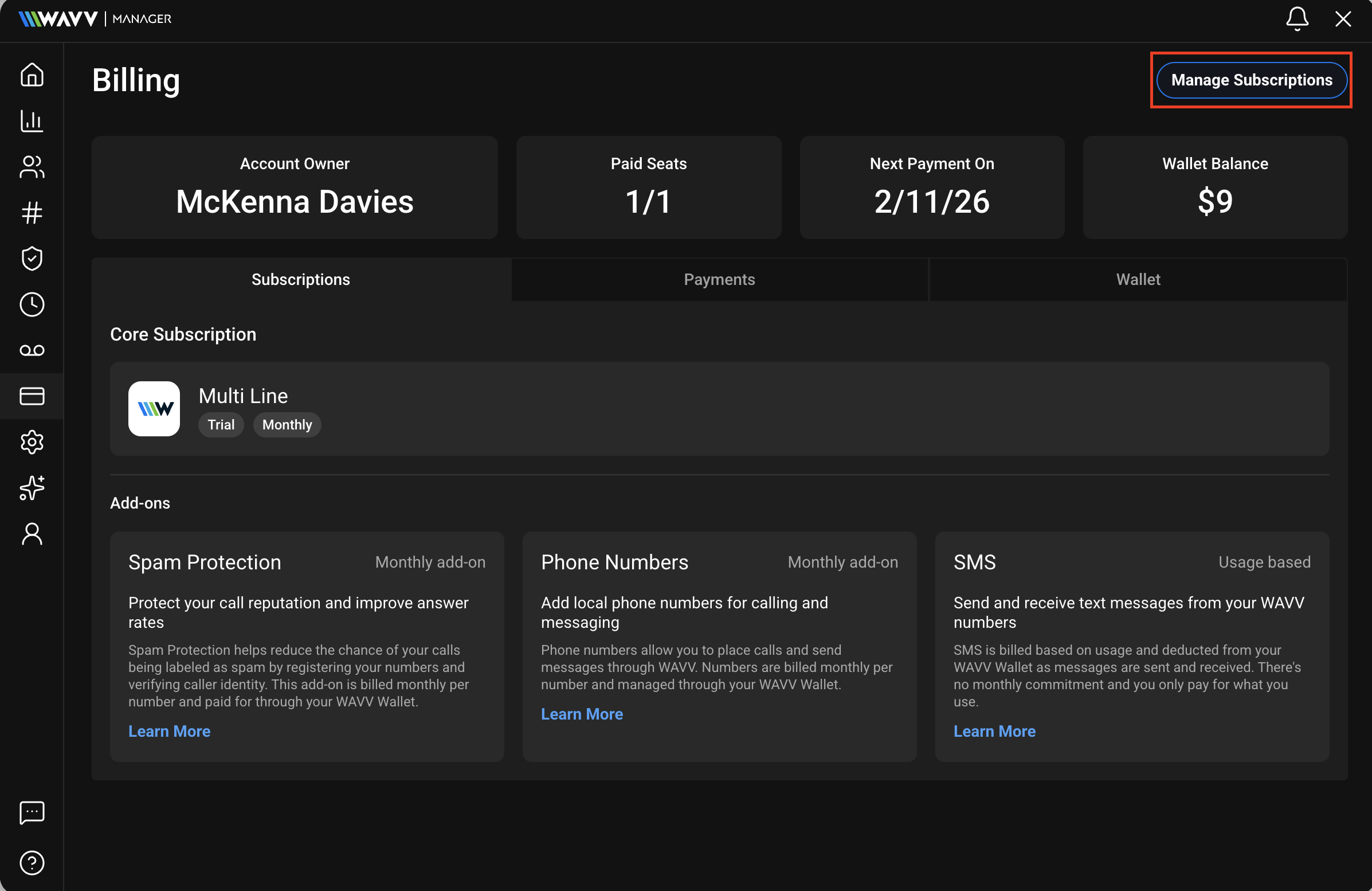
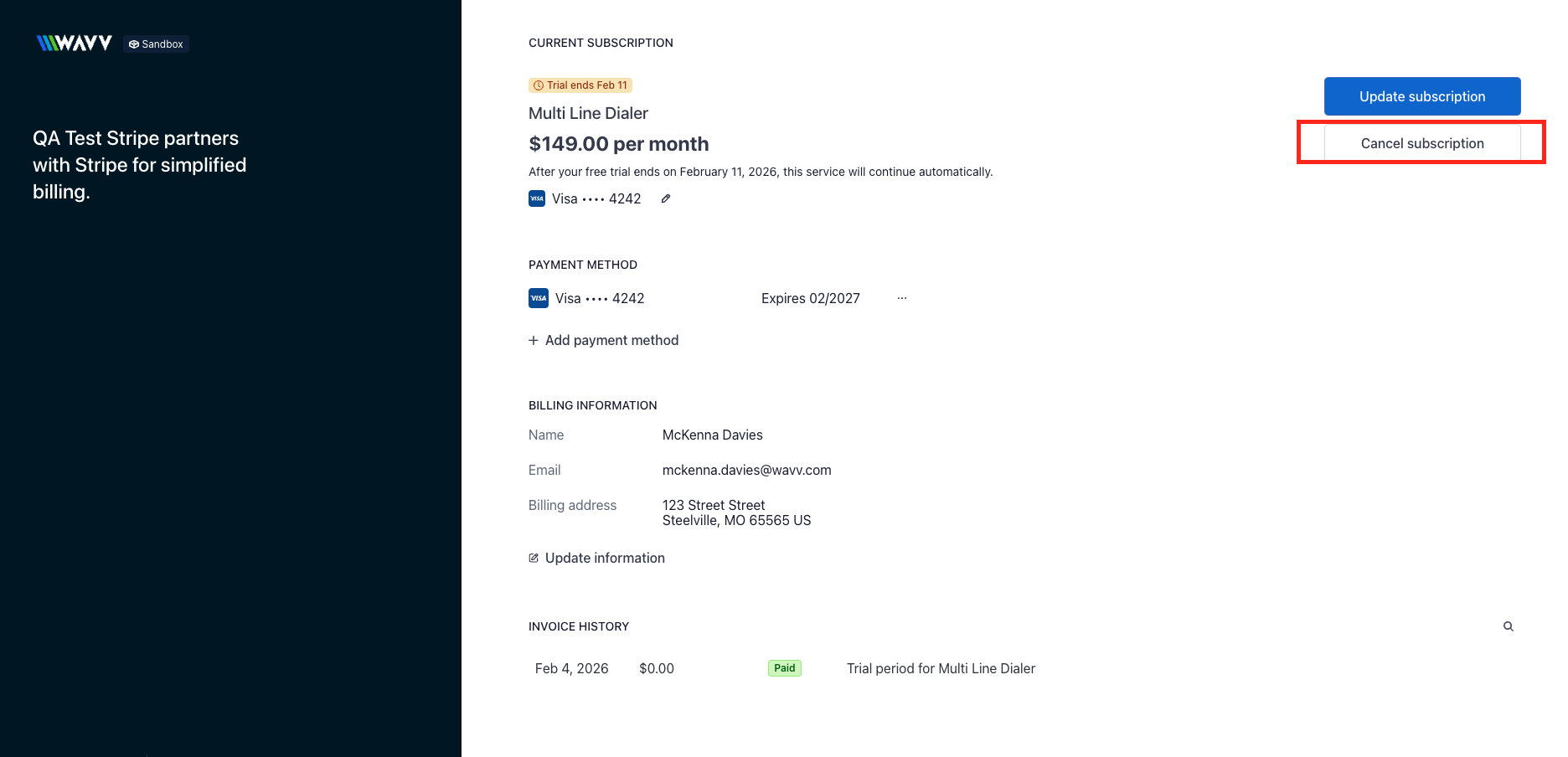
You will be redirected to Stripe, our billing service. From here, click "Cancel subscription."